
Choosing the Right LCD Display Module begins with the application, not the catalog. A screen mounted inside a medical monitor faces different demands from one installed in a warehouse scanner. Brightness, viewing angle, operating temperature, power consumption, and expected service life must match the real environment.
Bob Raikes, founder of Display Daily and a respected display industry analyst, has often emphasized this principle: “The display must be judged in the application.” That perspective is practical. A module may look excellent under showroom lighting, yet become unreadable beside a sunny window. A glossy panel can also reveal distracting reflections on a factory floor. Small details matter.
A careful selection process should define the viewing distance, control method, enclosure size, interface, and daily operating hours. Engineers should compare IPS, TN, and VA technologies instead of choosing from resolution alone. Capacitive touch may feel modern, but gloves, moisture, and surface contamination can reduce its reliability. This is where product testing becomes essential.
Do not trust a data sheet blindly. Request samples. Measure contrast under actual lighting. Check connectors, mounting holes, cable length, and firmware compatibility. Thermal testing is easy to overlook. It can also expose unexpected failures.
The right Lcd Display Module is not always the largest or sharpest option. It is the one that remains readable, stable, serviceable, and economically sensible throughout its intended life. Some requirements will change during development. That is normal. A clear evaluation record helps teams notice those changes before production begins.
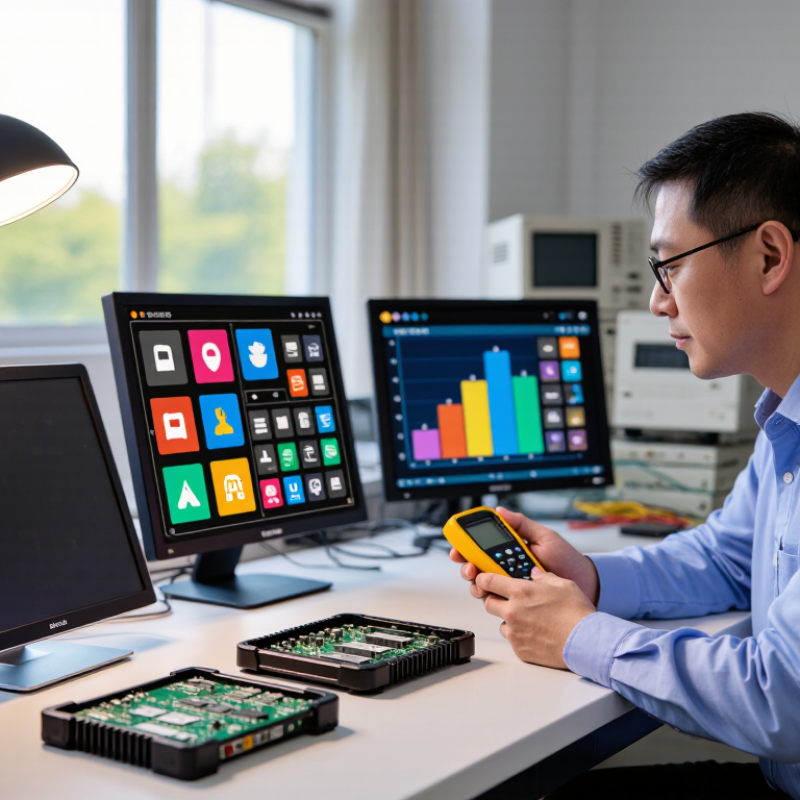
Choosing an LCD display module begins with the product, not the catalog. Describe what users must read, where they will view it, and how often they interact with it. A handheld meter may need a compact screen with strong contrast. A factory controller may require a larger panel, wide viewing angles, and reliable operation under dust or vibration.
Measure the installation space carefully. Record the visible area, mounting holes, connector position, and maximum module thickness. Then define brightness, resolution, color depth, touch requirements, and operating temperature. Outdoor equipment often needs higher brightness and anti-glare treatment. Indoor devices may perform better with lower power consumption. Keep the interface in mind. A display that looks impressive can still fail if its controller does not match your processor.
Real product testing matters more than a promising data sheet. Place a sample in its enclosure and inspect it under direct light, dim conditions, and different viewing angles. Check startup time, heat, cable flexibility, and touch response with gloves. I have seen projects overlook connector clearance until the final assembly. That mistake is expensive. Our first estimate is often wrong. Leave room for tolerance, future software changes, and supply variations. Ask the manufacturer for test reports, dimensional drawings, and consistent inspection criteria before approving volume production.
Choosing an LCD display module starts with its application, not its appearance. A small character LCD suits simple meters and control panels. Graphic LCD modules handle menus, icons, and basic charts. TFT LCDs provide sharper images, richer colors, and faster visual updates. I once selected a bright TFT for a compact instrument, but its power demand was higher than expected.
Size affects more than readability. Measure the available panel space, mounting holes, cable path, and viewing distance. A 2.4-inch screen may work for handheld equipment. A 7-inch screen is easier to read from a control cabinet. Check the active area, not only the outer frame. A thin bezel can hide useful space.
Viewing technology also changes the user experience. TN panels often respond quickly and cost less, but their viewing angles can be limited. IPS panels usually maintain color and contrast when viewed from the side. Transmissive LCDs need a backlight, while reflective types perform better under strong ambient light. Transflective designs balance outdoor readability and indoor use. Test the module at its real angle and brightness. Specifications alone can mislead. My first comparison ignored glare from a nearby window, and the display became difficult to read. Check operating temperature, touch compatibility, connector type, and long-term availability before approving the design.
How to Choose the Right LCD Display Module?
Choosing an LCD display module begins with the viewing environment and the information it must show. Resolution should match screen size, viewing distance, and graphic detail. A small control panel may work well with moderate resolution. A handheld device showing fine charts needs sharper pixels. I once selected a high-resolution panel for a simple interface. It increased cost without improving usability. That mistake still influences my evaluations.
Brightness matters most under strong ambient light. Indoor equipment may need 300 to 500 nits, while outdoor applications often require much more. Excessive brightness can waste power and cause eye strain in dark rooms. Contrast affects how clearly text separates from its background. Check the measured contrast ratio, but do not trust one number alone. Surface reflections can make a display appear dull.
Viewing angles deserve hands-on testing. A panel may look excellent from the front but lose color or detail from the side. Check it from above, below, and both sides. Compare white backgrounds, dark images, and small text. I also inspect the module at its expected temperature, because performance can shift outside normal conditions. Datasheets provide useful limits, but a physical sample reveals weaknesses that specifications sometimes hide. The final choice should balance clarity, power use, cost, and real-world viewing habits.
| Evaluation Dimension | What to Check | Typical LCD Module Range | Recommended Selection Guidance | Practical Trade-Offs |
|---|---|---|---|---|
| Resolution | Number of horizontal and vertical pixels, such as 800 × 480 or 1920 × 1080. | 320 × 240 to 1920 × 1080 | Choose the lowest resolution that clearly displays the required text, graphics, measurement values, and user interface. Use higher resolution for detailed images, maps, video, or small fonts. | Higher resolution improves image detail but generally increases cost, processing requirements, memory usage, and power consumption. |
| Pixel Density | Pixels per inch (PPI), determined by the display resolution and physical screen size. | Approximately 100–300 PPI | For handheld products viewed at a short distance, target a higher PPI. For industrial panels viewed from farther away, moderate pixel density may be sufficient. | Higher PPI can make text and icons sharper, but the interface may require scaling to remain readable. |
| Brightness | Luminance measured in nits or cd/m². Confirm whether the specification is typical, minimum, or maximum. | 250–400 nits: indoor; 500–800 nits: bright indoor or semi-outdoor; 1,000+ nits: strong daylight applications | Select brightness according to ambient light, viewing direction, cover glass, touch panel, and whether the display will be used outdoors. | Higher brightness improves sunlight readability but may increase LED backlight power, heat generation, and operating cost. |
| Contrast Ratio | Ratio between the brightest white and darkest black shown by the display under specified test conditions. | 500:1–1,500:1 for many standard TFT LCDs | Use a higher contrast ratio for video, medical images, dashboards, and interfaces with dark backgrounds. Compare measurements made using the same test method. | Contrast can be affected by viewing angle, temperature, backlight leakage, surface reflections, and the measurement environment. |
| Viewing Angle | Horizontal and vertical angle at which contrast, color, and brightness remain within the manufacturer’s stated limit. | TN: often narrower; IPS: commonly around 80° or more per direction; advanced wide-view designs may be wider | Choose a wide-viewing-angle panel when users view the display from different positions or when the product is installed in a shared control area. | Wide viewing angles improve usability, but the panel may cost more and can require careful tuning of color, brightness, and optical layers. |
| Panel Technology | Common technologies include TN, IPS, and VA, each with different optical characteristics. | TN: fast and economical; IPS: wide viewing angle; VA: strong native contrast | Use TN for cost-sensitive, simple interfaces; IPS for consistent color and viewing angles; VA when deep blacks and high contrast are priorities. | Technology choice affects response behavior, color stability, contrast, cost, and availability in the required size and resolution. |
| Response Time | Time required for a pixel to change between specified gray levels, usually stated in milliseconds. | Approximately 5–30 ms for many TFT LCD modules | For static industrial interfaces, moderate response time is usually adequate. For video or fast animation, select a faster panel and verify motion performance with real content. | Response-time figures may use different measurement methods and may not fully describe motion blur or transitions at different temperatures. |
| Aspect Ratio and Active Area | Physical display dimensions and shape, such as 4:3, 5:4, 16:9, or 16:10. | Common diagonal sizes: 3.5–15.6 inches | Match the aspect ratio to the enclosure, user interface layout, camera or video source, and required viewing distance. | A larger active area improves readability but increases enclosure size, cost, and backlight power requirements. |
| Surface Treatment | Glossy, matte, anti-glare, anti-reflective, and anti-fingerprint options influence reflections and image appearance. | Application-dependent; verify reflectance and haze values | Use anti-glare or anti-reflective treatment for bright environments and glossy surfaces when maximum image clarity is more important than reflection control. | Some matte treatments reduce reflections but can slightly soften fine details or lower perceived contrast. |
| Operating Temperature | Specified temperature range in which the module maintains its rated electrical and optical performance. | Common commercial range: 0–50°C; industrial versions may support approximately −20–70°C | Choose a module with margin beyond the actual ambient temperature, especially inside sealed enclosures exposed to sunlight or heat-producing electronics. | Extreme temperatures can reduce response speed, alter color and contrast, shorten backlight life, or cause startup problems. |
| Interface Compatibility | Electrical interface, connector, timing, voltage, touch interface, and required controller support. | Common interfaces include RGB, LVDS, MIPI DSI, SPI, and HDMI through a controller | Confirm pin definitions, logic voltage, timing parameters, connector orientation, touch compatibility, and whether a separate controller board is needed. | A display with excellent optical specifications may still be unsuitable if its interface, firmware support, or mechanical dimensions do not match the product. |
| Note: The ranges shown are general selection references for commonly available LCD modules. Actual performance depends on panel size, panel technology, backlight design, optical bonding, cover glass, temperature, and measurement conditions. Always verify the final datasheet and evaluate representative samples in the intended environment. | ||||
How to Choose the Right LCD Display Module?
Interface, power, touch, and environmental fit should guide every LCD selection. MIPI DSI suits compact products with powerful processors, while RGB and LVDS remain useful for longer cable runs. Check lane count, connector pitch, timing, and driver support before ordering samples. A panel may show a beautiful image, yet fail during integration.
Power details deserve equal attention. Compare operating voltage, peak current, backlight consumption, and startup timing. A 3.3 V module can still damage a controller if its logic levels mismatch. MarketsandMarkets’ 2024 touchscreen market report projects growth from USD 75.5 billion in 2023 to USD 116.4 billion by 2028. That expansion increases options, but it also increases selection mistakes. For touch, verify I2C or USB compatibility, glove operation, cover-glass thickness, and controller tuning. I once underestimated cable noise. The prototype worked indoors, then missed touches near a motor.
Tips: Build a small compatibility table before purchase. Record interface, voltage, current, touch protocol, operating temperature, and connector details. Test the backlight at maximum brightness. Check IEC 60529 ratings when dust or water is expected; IP54 protects against limited dust and water spray, not immersion. Also review the module’s temperature range. “Industrial grade” is not a complete specification. The wrong assumption can be expensive.
Choosing an LCD display module requires more than comparing resolution and price. Verify brightness, contrast, viewing angle, color consistency, dead-pixel limits, and operating temperature through controlled samples. A practical test should run the module for several hours, including startup cycles and low-temperature conditions. Check the backlight for uneven corners and inspect the connector after repeated insertion. Omdia’s 2024 display outlook indicates that LCD still represents more than 70% of display demand by area, so mature supply does not automatically mean consistent quality. Specifications can look impressive on paper. Real units may differ.
Cost should include tooling, testing, packaging, freight, and expected failure rates. A cheaper module becomes expensive when one damaged shipment delays production. Compare at least three quotations using the same technical requirements and payment terms. Availability also needs evidence: request current inventory, monthly capacity, lead time, and a written notice period for end-of-life changes. The supplier’s support matters during integration. Ask for drawings, driver documentation, sample logs, and a named engineering contact. ISO 9001-based quality systems can improve process discipline, but certification alone does not prove panel performance. Confirm quality records with batch samples. World Bank commodity data also shows that electronics input costs can fluctuate, making fixed assumptions risky. I would leave a buffer for redesign; ignoring that risk is an easy mistake.
